
Product feeds Google accepts and keeps showing.
We set up and repair Google Merchant Center accounts and product feeds for WooCommerce, Shopify and custom stores. Clean data, matching prices and stock, and steady monitoring mean fewer disapprovals and more of your catalogue visible in Shopping results.
How does a Google Merchant Center product feed work?
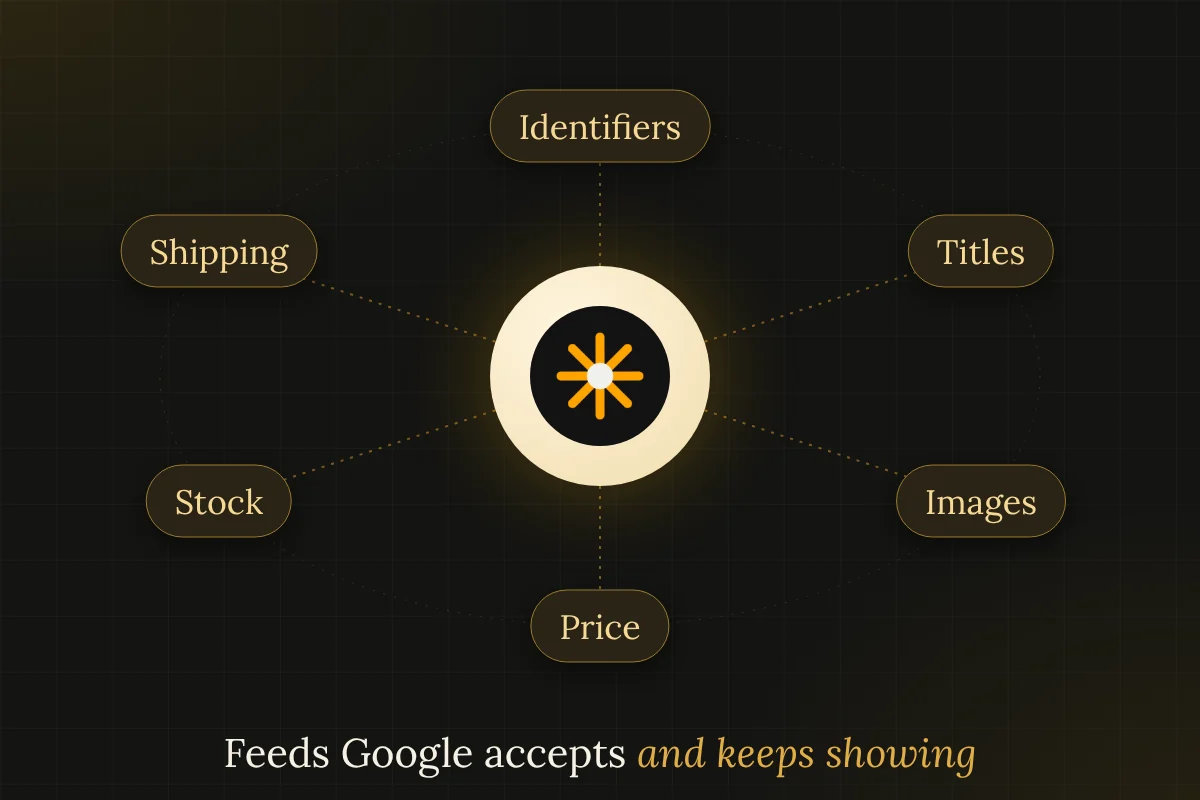
A product feed is a structured list of your products, with identifiers, titles, prices, availability, images and links, that Google reads on a schedule. Merchant Center compares it with your product pages and policies. Items are approved when the feed is complete and matches what shoppers see, and rejected when prices, stock, identifiers or landing pages disagree. Good feeds come from clean source data and constant monitoring.
Required and recommended attributes change from time to time, so we check the current Google Merchant Center help pages before every setup or repair. Every change we make is logged, so if a feed edit ever causes a drop in approved products, the cause can be found and reversed quickly. We also keep a copy of the last good feed.
Why Google rejects products that look fine to you.
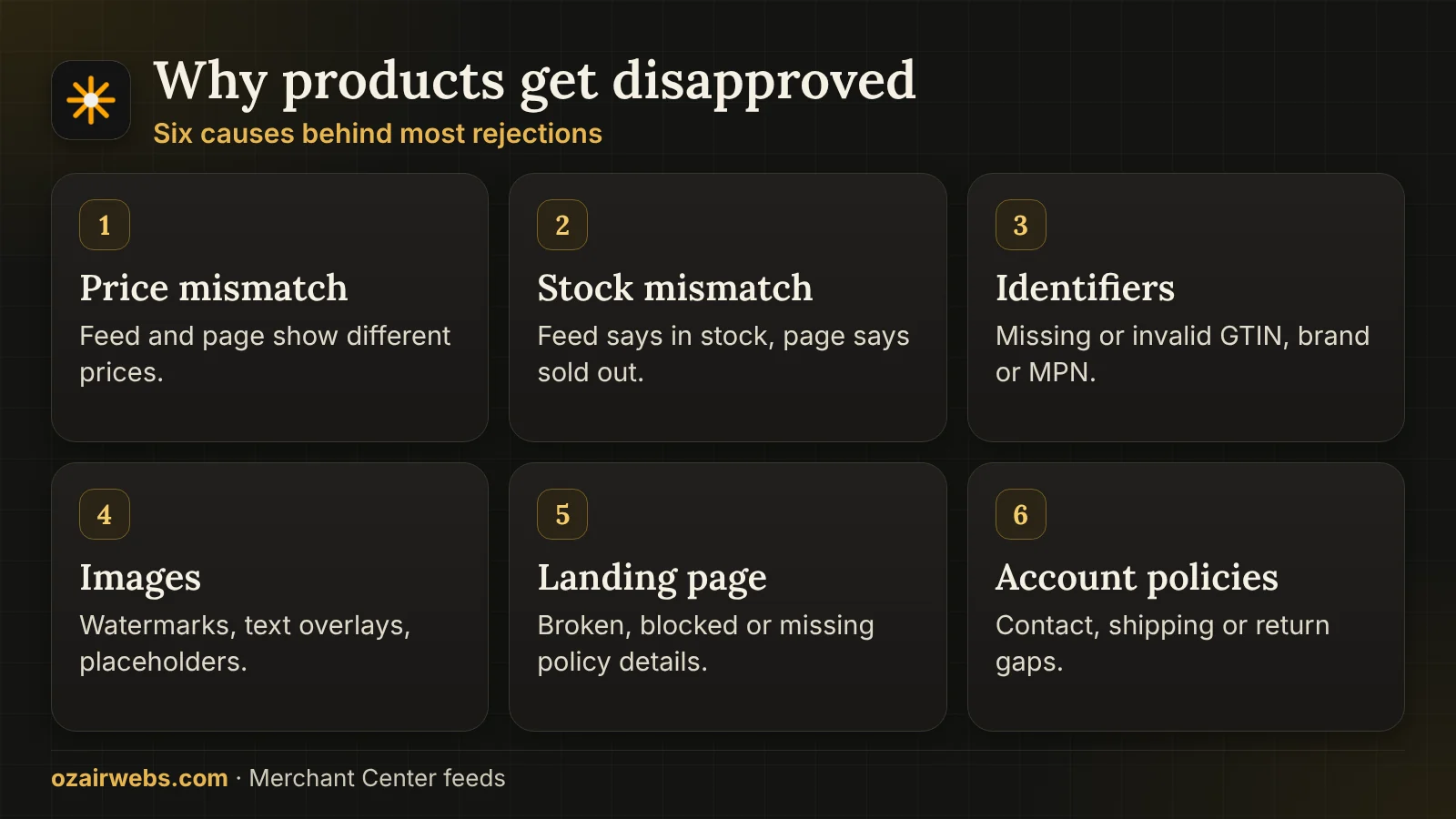
Most rejections are mismatches between three things: the feed, the product page and Google's rules. Finding which pair disagrees is the main job.
What diagnostics usually reveal
- Price and availability mismatch. The feed says in stock at one price, the page says another. This happens when feeds refresh less often than the store changes.
- Missing identifiers. Products without a valid GTIN, brand or MPN are limited or rejected, unless a real exception applies to them.
- Weak or wrong titles and images. Promotional text, watermarks, placeholder photos and unclear titles break image and title policies.
- Landing page problems. Pages that are broken, slow, blocked or redirected, or that lack shipping and return details, fail the page checks.
Account-level problems, such as contact details or return policy gaps, can affect every product at once. We review those first.
How a feed is built and then proven.
Whether the store runs on WooCommerce, Shopify or custom code, the order of work is the same.
- 01
Audit the source data
We check IDs, titles, descriptions, variants, GTINs, prices, stock and images in the store itself, because feeds cannot be better than their source.
- 02
Set up the account
Business details, website claim, shipping, tax and return settings are entered correctly, matching what the site says.
- 03
Map fields
Each store field is mapped to a Merchant Center attribute, with rules for variants, categories, sale prices and custom labels.
- 04
Generate and test
The feed is created, run through diagnostics and compared with live pages, and every warning is explained or fixed.
- 05
Submit and schedule
A fetch schedule that matches how often stock and prices change is set, with supplemental feeds where useful.
- 06
Monitor
We watch rejections, stale prices, stock errors and account notices, and fix the cause when something drifts.
Plugin, app or custom feed.
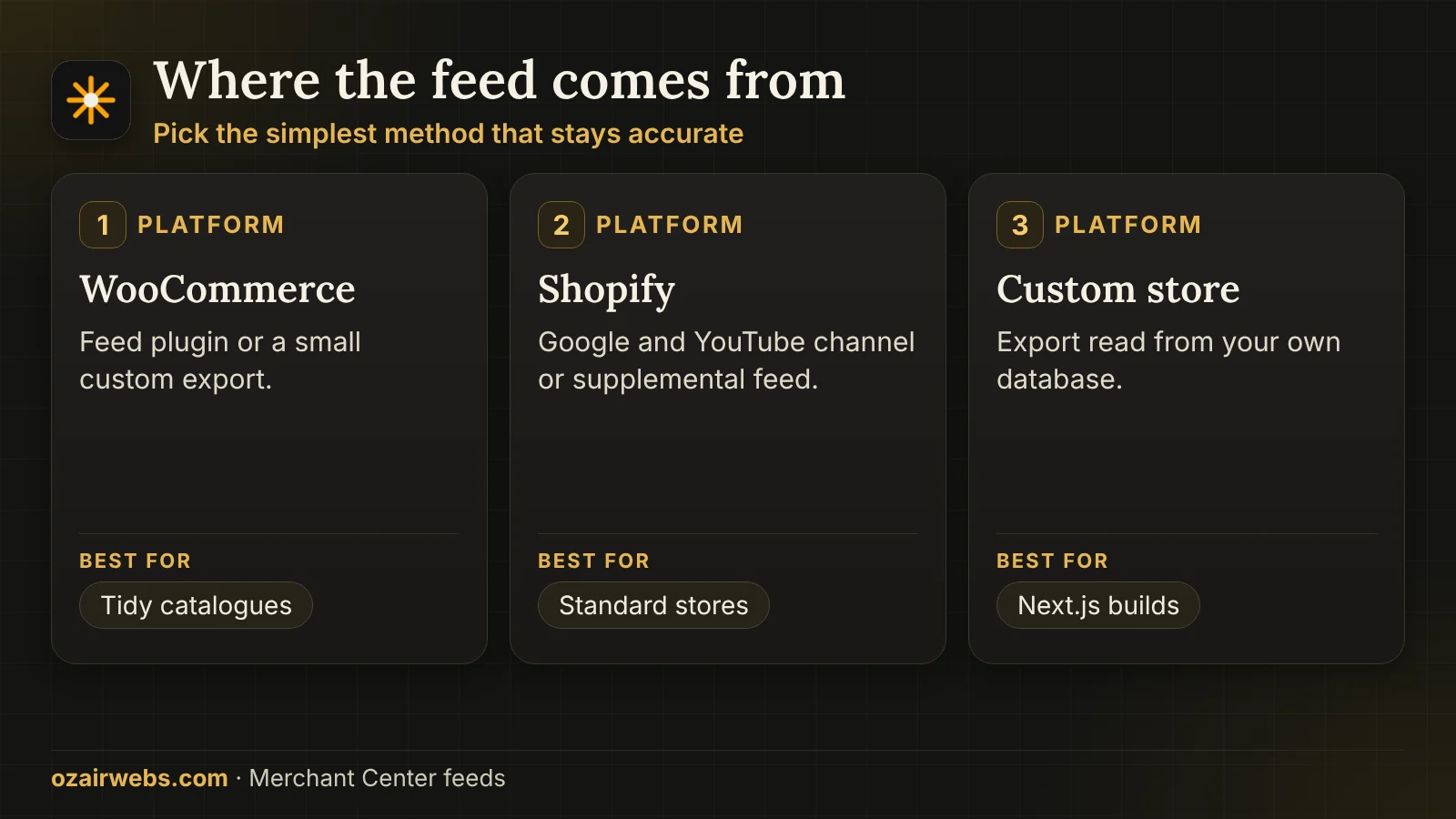
The right source depends on the platform and on how unusual your data is. We have used all three approaches.
How we choose the method
- WooCommerce. A reputable feed plugin is enough for tidy catalogues. For custom fields or bundled products we write a small custom export.
- Shopify. The Google and YouTube channel works for standard stores. Metafields or complex variants may need a supplemental feed or an app.
- Custom storefronts. For Next.js or custom builds, a scheduled export reads the product database directly, so the feed and the site share one source.
- Rule of thumb. Prefer the simplest method that still produces correct data. Complexity is added only when the catalogue demands it.
For stores built on a framework, read about Next.js ecommerce and WooCommerce development.
The product data that earns approval and clicks.
Beyond approval, better data changes how often and where your products appear. These are the fields we work on most.
Titles
Brand, product type and the details shoppers search for come first, written for people and free of promotional words.
Identifiers
Correct GTINs, brand and MPN where they exist, and a proper identifier-exists value for genuinely custom items.
Images
Clear main images on plain backgrounds, with extra angles added, and no text overlays or watermarks.
Variants
Colour, size and material are mapped with an item group ID, so every variant has its own price, stock and link.
Shipping and tax
Rates and delivery times in the feed match what checkout shows, including regional rules and free shipping thresholds.
Custom labels
Margin tiers, bestsellers or seasonal groups are added so ad campaigns can treat products differently.
One truth for price, stock and reviews.
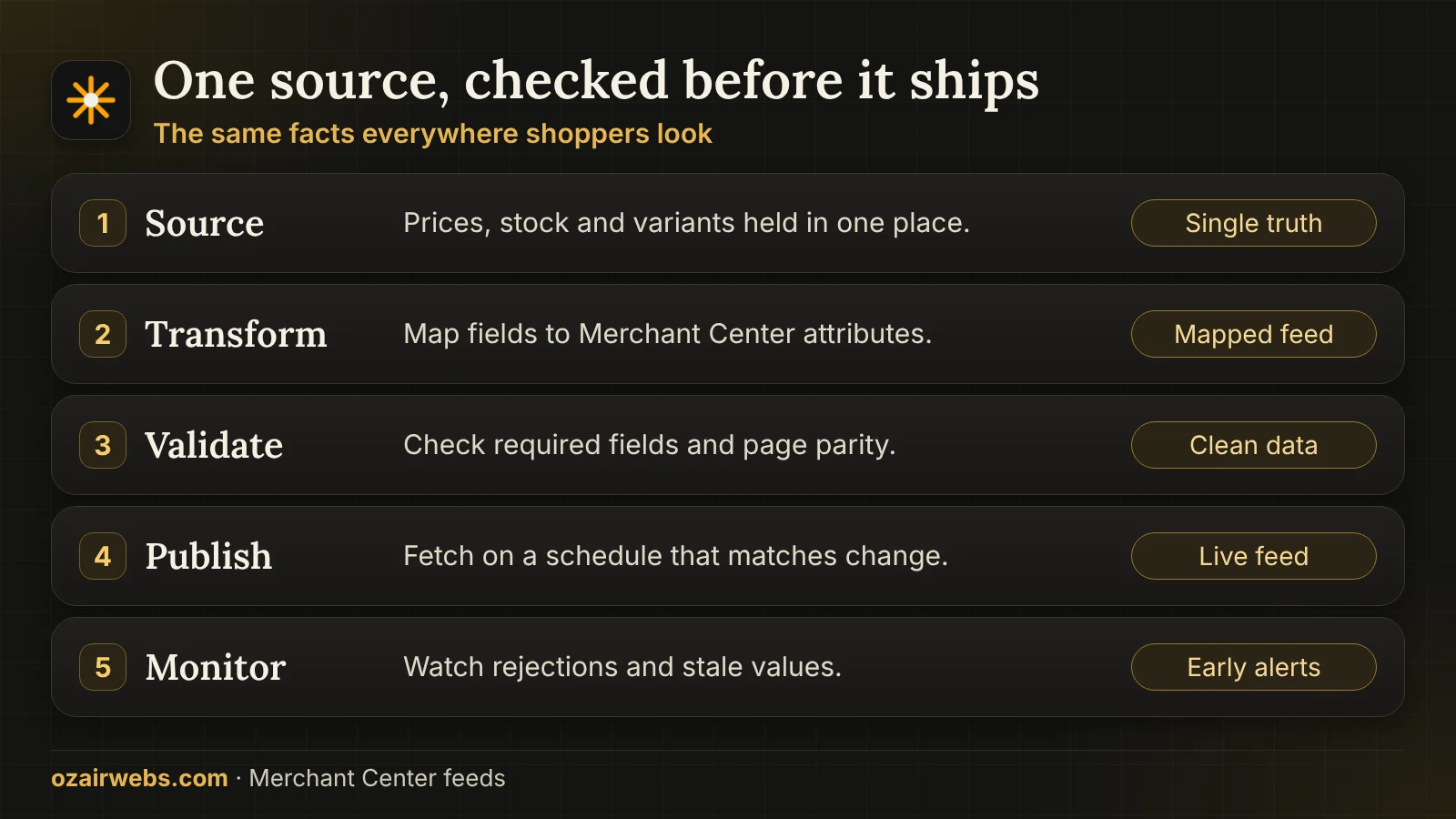
Search systems compare what you tell them in several places. The same facts must appear in the feed, the page and structured data.
How we keep things in step
- One source. Prices, stock and variants are read from one governed place, so the feed is never typed by hand.
- Structured data on the page. Product schema on each page matches the visible price and availability. See our ecommerce structured data work.
- Frequent refresh. Fast-moving stock or sale prices get more frequent fetches, and a stale-data alert if a refresh fails.
- Honest reviews. Review data is used only if it is real and collected from customers, which our review systems support.
When a patch is enough and when to start the feed again.
Some accounts need a small fix. Others need the feed rebuilt from clean source data. The comparison shows how we tell them apart.
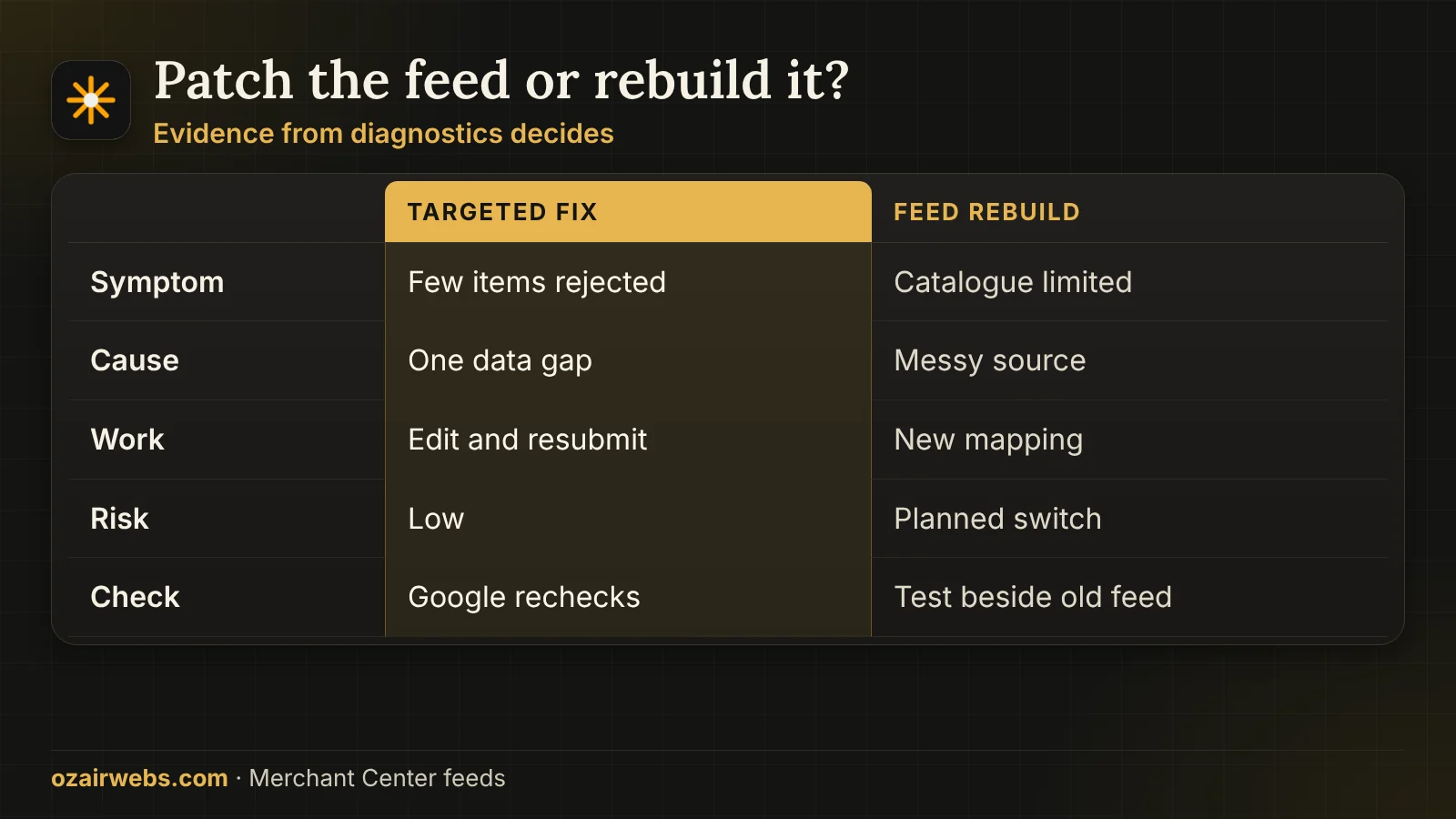
How we decide
- Few products, one reason. A missing GTIN or a single policy gap is edited at the source and resubmitted. Google rechecks and the items return.
- Large parts of the catalogue limited. This points to messy data, mixed variants or an unreliable export. A rebuild from clean source data is cheaper than endless patches.
- Suspended account. We find the cause, fix the site and data, and prepare a factual appeal. The decision is Google's, so we never promise an outcome.
- Switching safely. A new feed is tested beside the old one, and we switch only when diagnostics are clean, so visibility does not drop in between.
Product pages that mislead shoppers cause more trouble than any feed error, so we check the pages too. A feed is only as good as the product data and the pages behind it, so fixing one without the other rarely holds for long.
What you receive and what moves the price.
The scope and the quote follow from a short audit of your diagnostics and catalogue. These are the usual outputs and cost drivers.
Account and feed audit
A written list of every issue found, with the source of each and the order we suggest fixing them.
Working feed
Mapped, tested and scheduled, with notes on every rule so your team understands what the feed does.
Monitoring and alerts
Notices for new disapprovals, stale prices and failed fetches, sent to a person who can act.
Cost factor: catalogue
Size, variant count and the number of countries and languages are the biggest drivers of effort.
Cost factor: data quality
Clean, consistent source data is quick to map. Missing GTINs and mixed titles take careful editing.
Cost factor: custom needs
Bundles, custom labels, supplemental feeds and custom exports add work, and each one is priced openly.
Merchant Center feeds, answered.
Answers below come from merchants whose products were limited, disapproved or never approved in the first place.
Why are my products disapproved in Merchant Center?
The usual reasons are price or availability that does not match the page, missing identifiers, image or title policy problems, and landing page errors. The Diagnostics tab names the issue for each product, and we trace each one back to the source data.
Do I need GTINs for every product?
Most branded, mass-made products need valid GTINs from the manufacturer or GS1. Custom, handmade or private-label items may use the identifier-exists setting when no GTIN honestly exists. We never invent numbers.
How often should the feed refresh?
As often as your prices and stock change. Many stores fetch daily, while fast-moving or sale-heavy shops refresh more often, using scheduled fetches or direct updates, with an alert if a run fails.
Can you fix a suspended Merchant Center account?
We can find the cause, correct the site and data, and prepare a clear appeal. Google makes the final decision and we cannot promise an outcome, but accurate fixes and honest information give the best chance.
Does this work for stores outside the United States?
Yes. We configure feeds for the countries and languages you sell in, including shipping, currency, tax and local policy needs. Product data may need different titles or prices by country.
Will the feed help my Google Ads campaigns?
Shopping and Performance Max campaigns use the same feed. Better titles, correct prices and custom labels give ads better matching and cleaner reporting. Campaign setup itself is covered by our PPC services.
What affects the price of feed work?
Catalogue size, how clean the source data is, how many variants and countries are involved, whether a custom export is needed and how much monitoring you want afterwards. We quote after a quick audit of your current diagnostics.
Get your products approved and visible.
Send your store address and a screenshot of your Merchant Center diagnostics. You will get a short written note on what is wrong, what to fix first and what the work involves. Every product feed project begins with a short audit of your current diagnostics, so the quote reflects the real problems rather than a guess.