
Fix the three metrics Google measures, for the visitors who feel them.
We diagnose why your pages load slowly, jump around or react late, then fix each cause in the code and delivery layer, on any platform. Success is judged by field data from real visitors, not by one lucky lab score. Work is done from Lahore for clients worldwide.

How do you fix Core Web Vitals?
You fix each metric at its own cause. A slow Largest Contentful Paint usually comes from a late or oversized hero image, slow server response or blocking CSS. A poor Interaction to Next Paint comes from heavy JavaScript holding the main thread. Layout shift comes from images, fonts, banners and embeds that arrive without reserved space. After the fixes, success is confirmed in field data from real Chrome users, which updates over a rolling 28-day window.
Thresholds from Google's web.dev guidance: LCP within 2.5 seconds, INP under 200 milliseconds and CLS under 0.1, judged at the 75th percentile of visits.
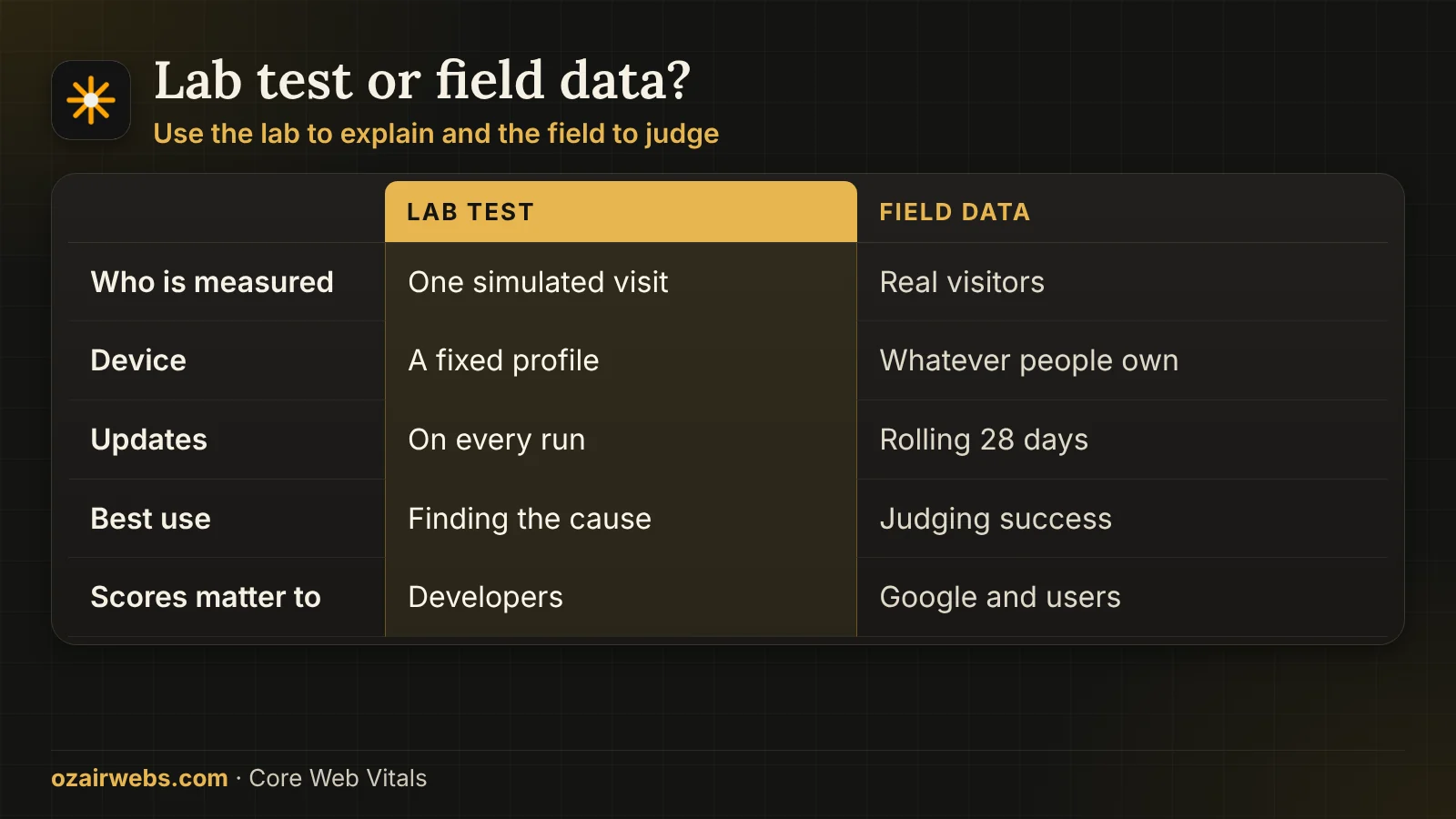
Lab scores and field data tell different stories.
A tool run on a fast laptop can show green while real customers on mid-range phones struggle. We use both kinds of evidence, and we trust field data to decide. This matters because Google judges the field result, and a fix that only improves a lab score leaves the real problem in place.
How we separate real problems from noise
- Field data first. Search Console and the Chrome User Experience Report show which page groups fail for real people, split by phone and desktop.
- Lab tests to explain. Once a failing group is known, throttled lab traces reveal the exact element, script or request behind it.
- One template at a time. Home, category, product and article pages behave differently, so each is diagnosed and fixed as its own group of URLs.
- Real devices. We test on a mid-range Android phone and a slow connection, because that is where most hidden cost lives.
Want the audit to cover crawling and security as well? See our technical audits.
What actually goes wrong behind each metric.
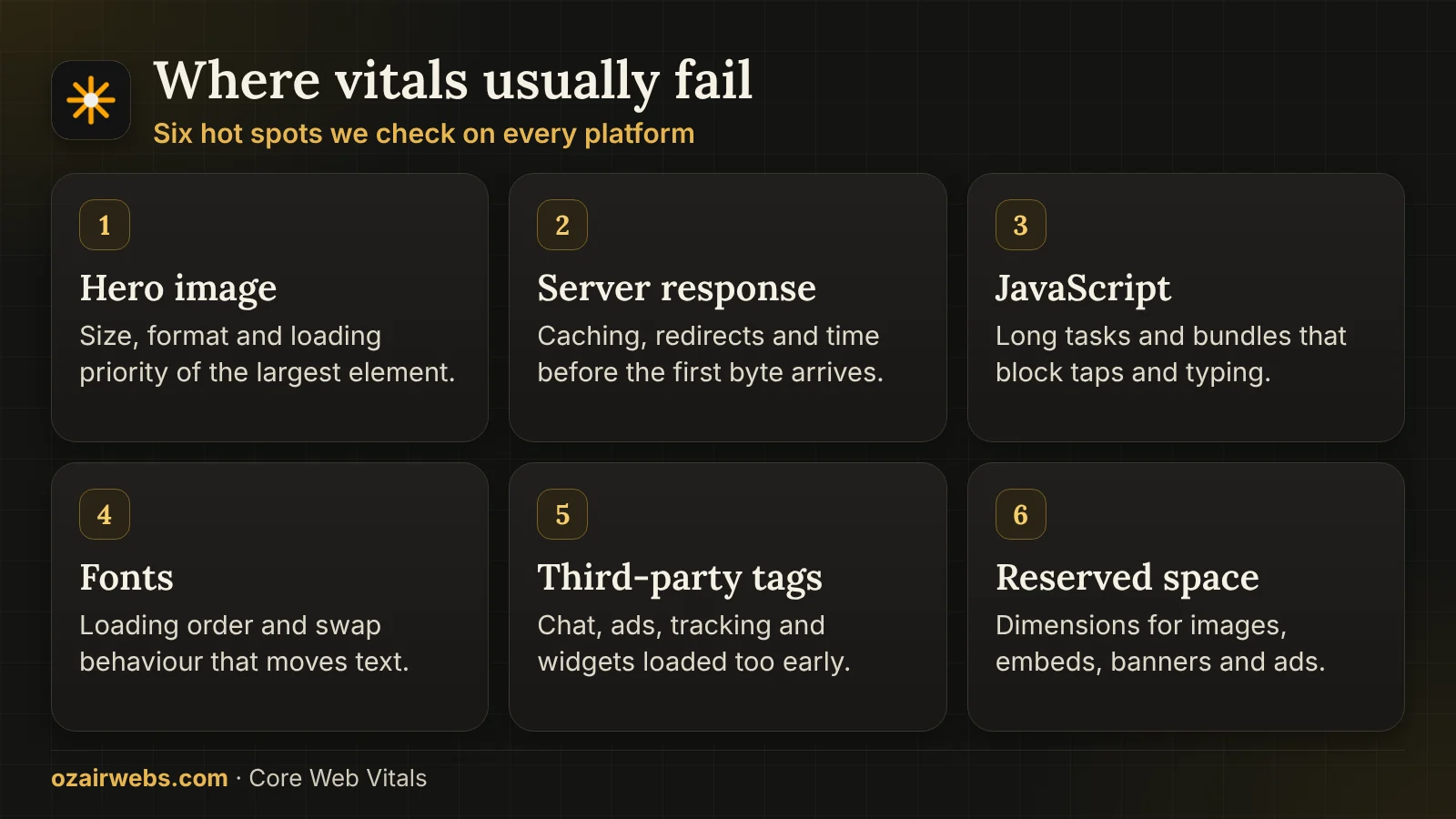
Each metric has its own short list of usual suspects. Knowing which one you have saves weeks of guesswork. Most failing pages have two or three causes at once, so we fix them in the order that moves the metric furthest.
LCP: late hero
The biggest image or heading is found late, loaded at low priority or sent at camera size. We preload it, resize it and serve a modern format.
LCP: slow start
If the server takes too long to answer, nothing else can be quick. We look at caching, database time, redirects and the distance to the visitor.
LCP: blocking files
Stylesheets, fonts and scripts that must finish before painting are split, inlined where small and deferred where possible.
INP: busy main thread
Long JavaScript tasks make taps feel stuck. We profile them, break them up and remove code that no page needs.
INP: third-party tags
Chat widgets, tag managers, heatmaps and ad scripts often cost more than your own code. We load them later or drop them.
CLS: unreserved space
Images without dimensions, late banners and swapping fonts push content down. We reserve the space before it arrives.
Why a green test can still be a failing page.
Clients are often confused when two tools disagree. The table explains what each one is actually measuring. In short, use the lab to find causes and the field report to decide whether the work succeeded. We also explain every number in plain language in the report we hand over.
| Criteria | Lab test | Field data |
|---|---|---|
| Who is measured | One simulated visit | Real visitors over time |
| Device used | A set profile | Whatever people own |
| Update speed | Instant on each run | Rolling 28-day window |
| Best use | Finding the cause | Judging success |
| Counts for Google | Not directly | Yes, as page experience data |
The same metrics, different fixes by platform.
A WordPress site and a Next.js app fail for different reasons. We fix at the level where the cause lives instead of piling on plugins. The goal is always the smallest change at the right layer, which keeps your site easy to maintain after the work is finished.
Where we look on each platform
- WordPress and WooCommerce. Theme and builder weight, plugin scripts, caching and image handling. Our dedicated WordPress performance page goes deeper.
- Shopify. App scripts, theme sections, large banners and font loading, since the platform controls the server side.
- Next.js and React. Hydration cost, bundle size, image component settings and how much work runs in the browser instead of on the server.
- Custom and legacy sites. Uncompressed assets, old libraries, missing cache headers and chatty database calls are the usual finds.
When the platform itself is the ceiling, a move to Next.js may be the honest answer.
Four stages from red report to green.
The path is short, and every stage ends with something you can read. You approve the plan before any change reaches your live site. Between stages we send short written updates, so you always know what was found, what was changed and what comes next.
- 01
Baseline
We record field and lab numbers for each template and write down which URL groups fail and on which metric.
- 02
Diagnose
Traces, request waterfalls and script profiles point to the exact causes, ranked by how much each one costs.
- 03
Fix and test
Changes go to staging first and are checked on real phones, with a full journey test for forms and checkout.
- 04
Release and verify
After release we watch field data until it moves, and report the movement in plain words.
Why product and checkout pages need extra attention.
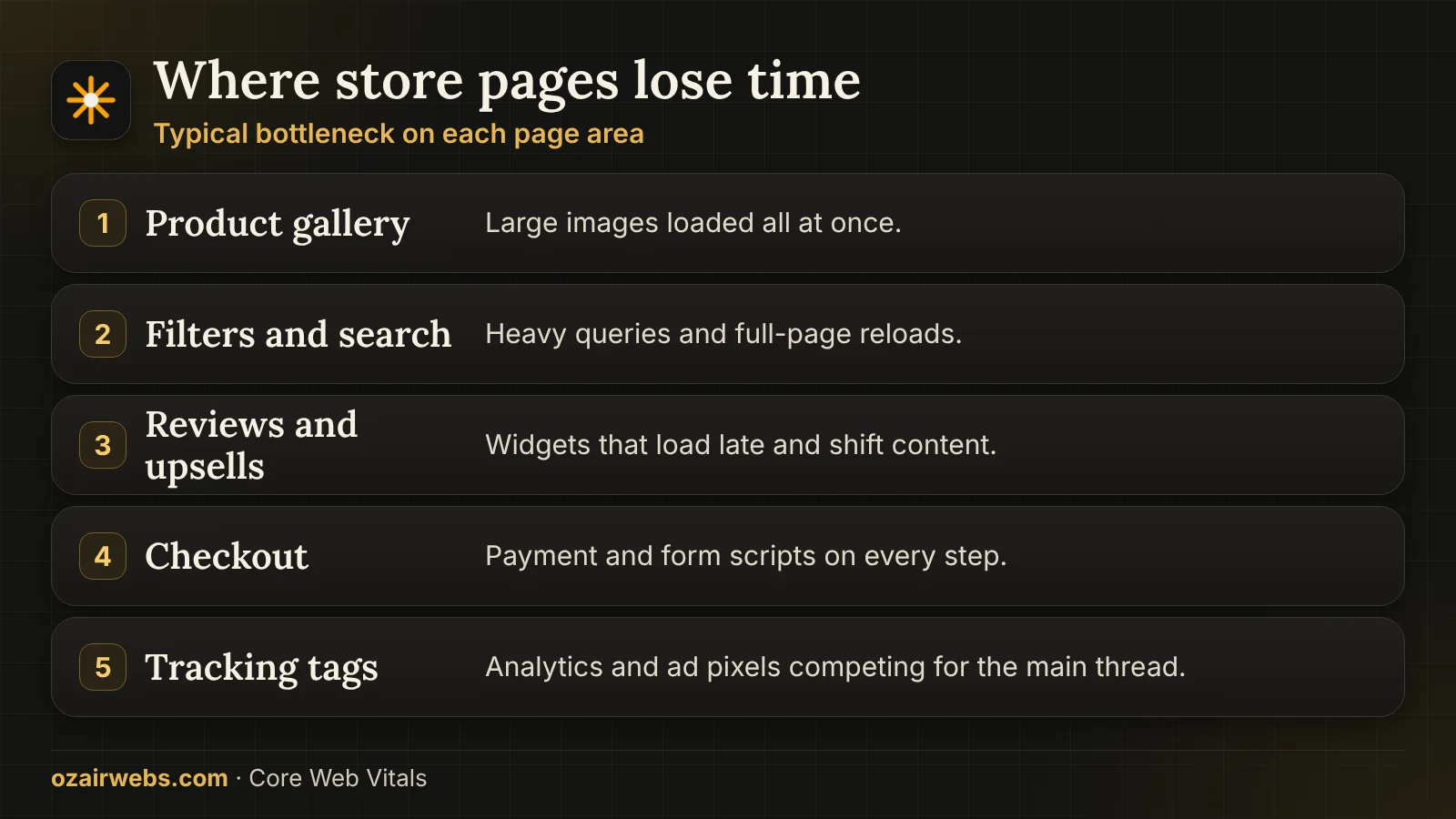
Shops carry heavy images, filters, reviews and payment scripts, and every second lost there is felt in orders. This work absorbs what used to be our separate ecommerce performance service.
Store-specific fixes
- Product galleries. The first image loads at once and the rest wait. Sizes are matched to the layout so phones never download desktop images.
- Filters and search. Layered navigation is moved to lighter queries and updates only the part of the page that changes.
- Review and upsell widgets. Third-party widgets load after the main content, with space held so nothing jumps.
- Checkout scripts. Payment and tracking scripts are limited to the steps that need them, then every step is tested with a real order.
Building or rebuilding a store? See ecommerce engineering. Each store change is checked with a complete test order, so sales are protected while pages get faster.
Keeping the scores after we leave.
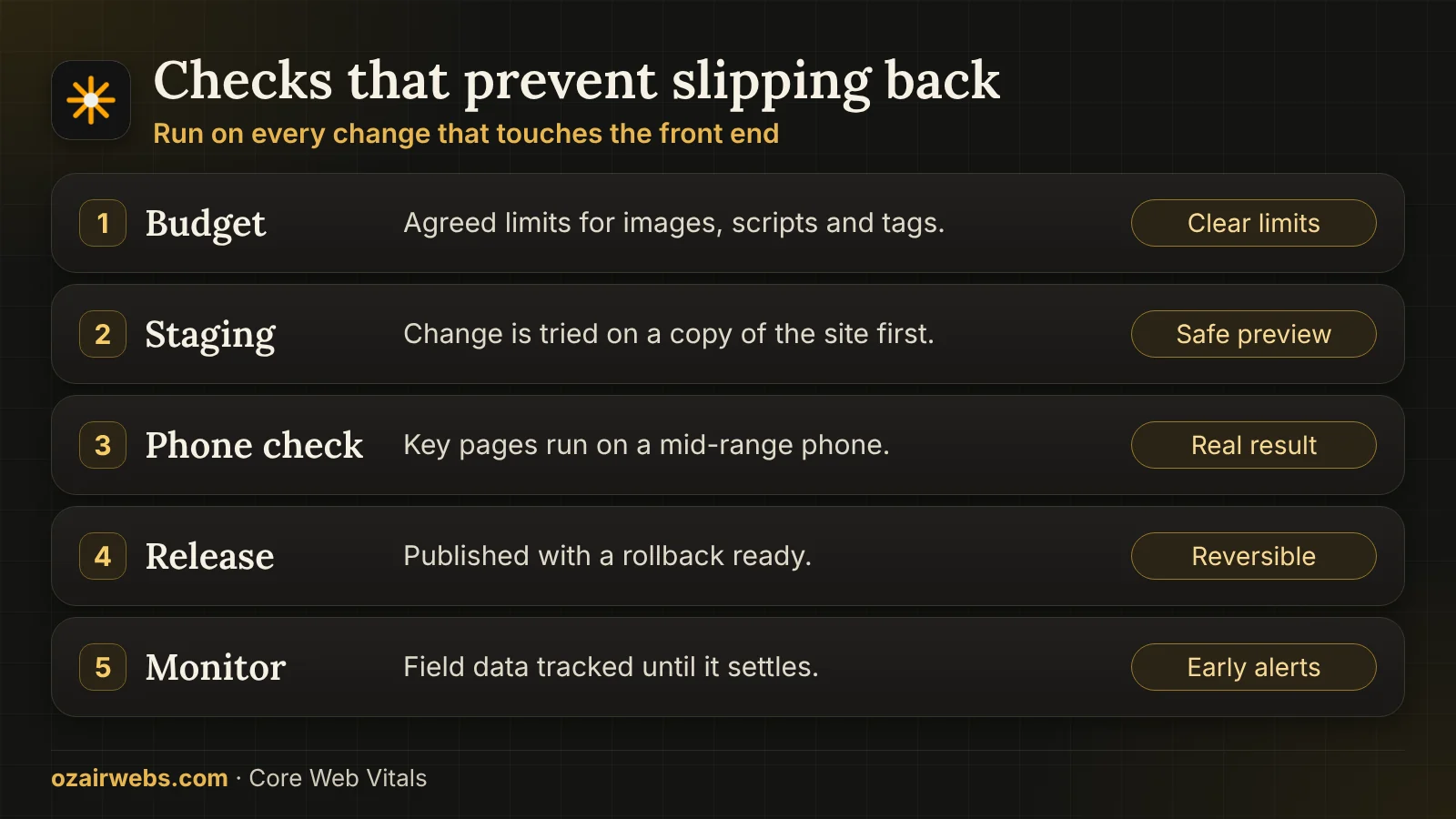
Vitals slip back whenever someone adds a slider, a new tracker or an uncompressed banner. Prevention is part of the job. A short written budget and a release checklist cost very little and prevent most regressions.
What stays with you
- A written budget. Agreed limits for image weight, script weight and third-party tags, so new additions can be judged against something.
- Release checks. A short list to run before publishing changes: test the key pages, check shifts and review new scripts.
- Monitoring. Alerts when a page group begins to slip, so problems are found within days rather than at the next quarterly report.
- Honest limits. Core Web Vitals are one modest ranking input. They help most when content and relevance are already sound.
Ongoing care can sit inside website maintenance.
Core Web Vitals, questions answered.
Straight answers to what clients ask before they start.
How long until Search Console shows an improvement?
Field data is collected over a rolling 28-day window, so improvement appears gradually. We confirm each fix in lab tests straight away, then watch the field report until it catches up.
Will fixing vitals raise my rankings?
It can help, but it is a small input compared with relevance and content quality. The more certain benefit is that visitors stay, scroll and complete forms or orders more easily.
Why did my site pass before but fail now?
Interaction to Next Paint replaced the older First Input Delay metric, and it is stricter. Many sites that passed the old test now fail because of heavy scripts that were never noticed.
Do you need access to my code?
Yes, to staging at least. Where the platform locks the code, such as some hosted themes, we work through what can be changed and tell you what cannot.
Can you fix it without changing the design?
Almost always. We resize, reorder and delay things rather than redraw them. Where a widget is the cause, we propose a lighter one that looks the same.
Is this the same as WordPress performance work?
It overlaps, but this service is platform-neutral and focused on the three metrics. The WordPress page covers hosting, plugins and database care in more depth.
What if only mobile fails?
That is the most common case. Phones have slower processors and networks, so script cost and image size show up there first. We prioritise mobile accordingly.
What does it cost?
Cost depends on how many page templates fail, which platform you use, how much of the problem is in your own code and how much is in third-party scripts. After diagnosis you receive a written scope with the fixes ranked by impact, so you can approve only what is worth doing.
Turn the red report into real speed.
Send the address of your site and the report that worries you. We will reply with what is failing, why, and what it would take to fix it, before any work is agreed.